Create kitchen labels.Keep use-by dates in view.
Select a product, record the step, save and print the label. PREPLOQ uses your approved rules for dates and allergens. The next shift opens the container by QR code.
- 14 days free from setup
- No credit card
- Set up with you in person
Developed in Frankfurt am Main. For kitchens in Germany, Austria and Switzerland. Hosting, privacy & data processing
Animation: at the station, tomato sauce is selected, the printer issues the label with its calculated use-by date, then a reminder appears on the phone.
- Restaurants
- Hotels
- Canteens
- Hospitals
- Nurseries
- Catering
- Franchises
Understand it in three views
Select a product. Create a label. Find the container.
How the kitchen works with products and rules already approved. Personal setup and professional review happen before the first production print.
- 1
Select a product
Head office reviews details and rules. Your team selects the approved version.
- 2
Create a label
Record the step, check the preview and print on the configured printer.
- 3
Find the container
Open its deadline and history by QR code. Record use or disposal.
Illustration using synthetic example data
14 days free · no credit card
From personal setup. No automatic paid renewal.
Coming soon to the official App Store
PREPLOQ is coming to your iPhone and iPad.
Create labels, scan containers and keep track of your kitchen routine. The native PREPLOQ app connects your team to the same products, rules and sites as the web application.
- For iPhone and iPad
- German and English · Light and dark
Requires iOS 26 or iPadOS 26 or later
Request free trial14 days free · no credit card
Explore the app and screenshots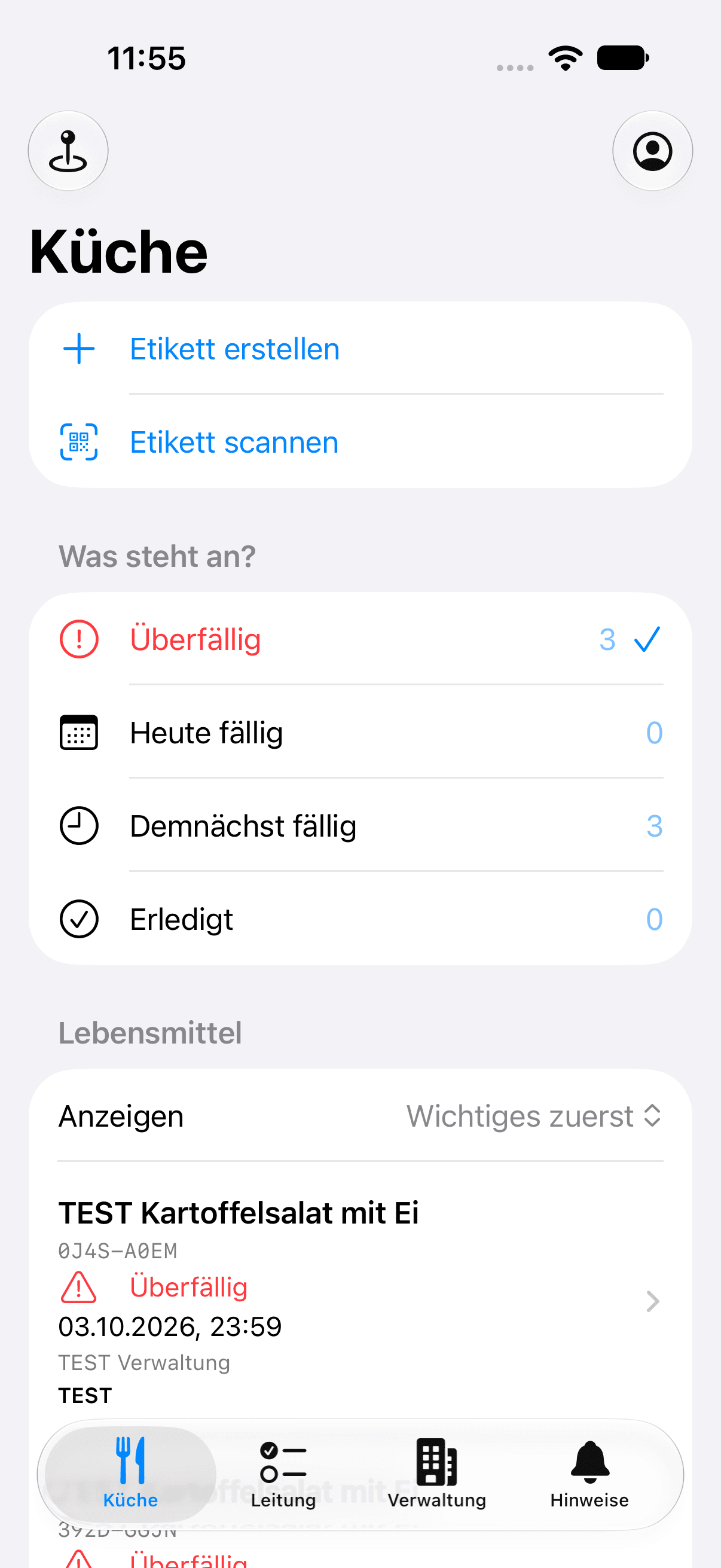
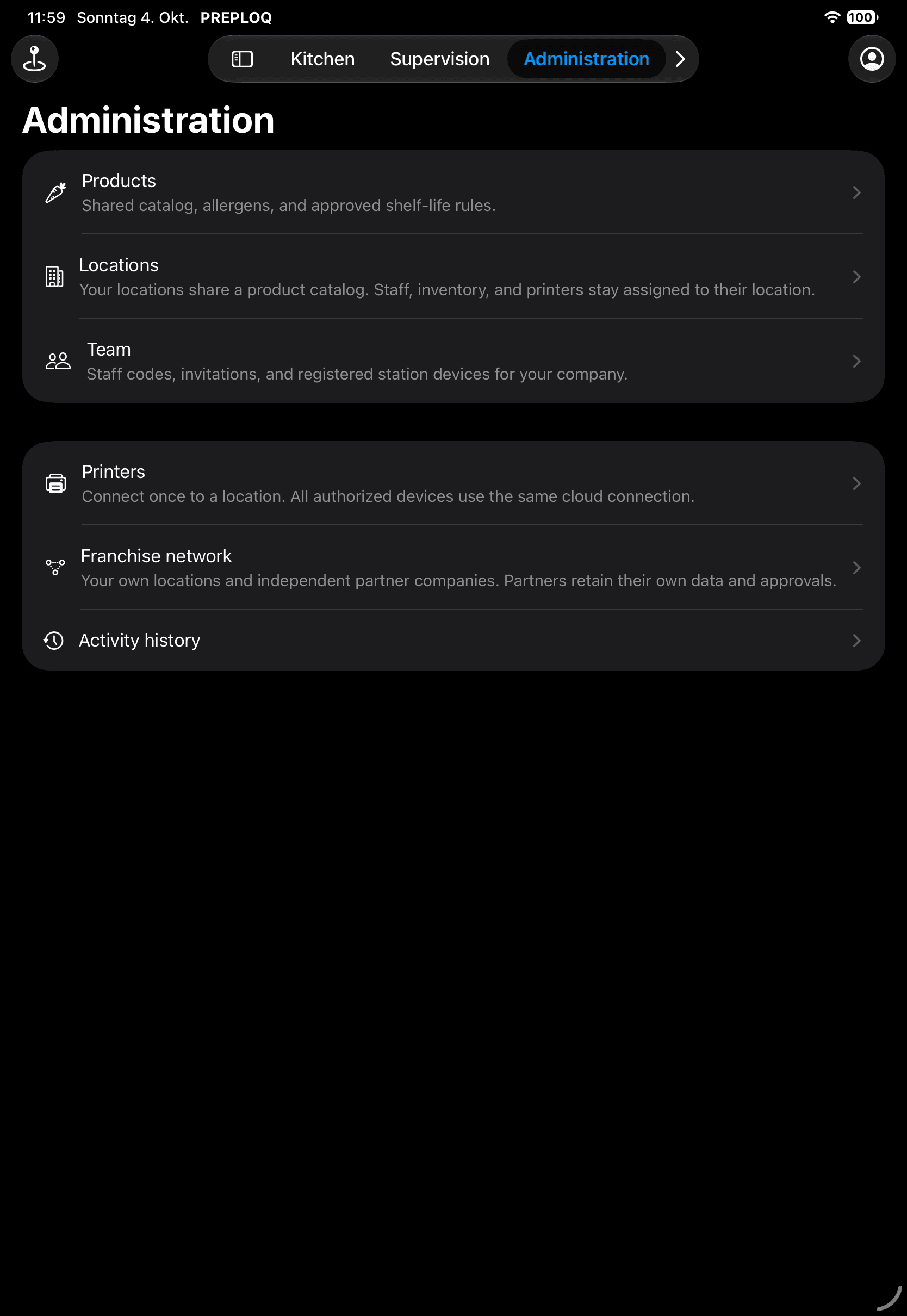
App captures from the simulator using synthetic TEST data.
One label that answers every question.
When was this made? Until when can it be used? What is in it? Who made it? Masking tape rarely says all of that, and it is not always legible either.
From rule to label in four steps.
- 1
Set it once
The head chef sets use-by rules, storage notes and allergens for every product and approves them. Once, for every station and site.
- 2
Tap and print
At the station, your team picks product and step. PREPLOQ calculates the use-by date and prints the label. No typing, no maths.
- 3
Scan instead of search
One scan shows what is in the container, until when it can be used and who made it. Used up or discarded is booked with one tap.
- 4
PREPLOQ keeps watch
What expires soon is on top. A reminder reaches the phone before anything expires, and a recall hold applies at every station at once.
Create your first label. Right now.
Pick a product and a step. PREPLOQ calculates the use-by date from the rule and puts everything on the label.
Printed at the bottom of the label.
What PREPLOQ takes care of
- Use-by date calculated from the rule, with weekday and time
- All 14 major allergens answered, nothing open
- Own container ID and QR code for the history
- Storage note, site and person on the label
- Rule:
- After preparing, usable for 3 calendar days.
- Allergens:
- Celery
The fixed label wording is always German. Product names appear as you enter them.
Example rules for illustration, not a recommendation. In PREPLOQ you set your own use-by rules.
Built for everyday kitchen work.
Everything that has to happen between prep and service, without extra lists.
14 allergens, no gaps
Every product has a confirmed answer for every allergen group. Anything still open blocks printing.
Hold affected stock
Hold a supplier lot, and every affected container is on hold at every station. With reason and time.
Reminders before expiry
Push to the phone when something expires soon or has expired and is still open. Plus a morning overview for the shift lead.
Sign in with 6 digits
Kitchen staff and temps need no email. Enter the code, get going, sign out. Every label knows who made it.
Everything traceable
Every label is kept as an unchangeable copy. Prepared, used up, discarded: always with person and time.
One standard for every site
Maintain rules centrally, print the same at every station. For your own branches and for franchise partners.
This is what labelling by hand costs.
Estimate how many labels your kitchen writes by hand today. The calculation uses nothing but your numbers.
17hours per month
208 hours a year
That is 26 full working days of 8 hours.
With PREPLOQ: tap the product, pick the step, print. Legible, complete, with use-by date.
Try it freePREPLOQ never prints a label with gaps.
If a use-by rule, an allergen answer or the approval is missing, the print button stays locked, with a note on what is missing. So no half label ever ends up on a container.
- Approved by head officeNew products and rules only apply after explicit approval.
- Unchangeable labelsA reprint sends exactly the stored label, never a new calculation.
- Holds apply at onceGoods on hold are not printed and show as on hold everywhere.
- Every change loggedWho changed what and when? The log shows it, months later too.
For kitchens where many hands work.
Restaurants and hotels
Mise en place, banqueting, breakfast: every shift sees what was made when, and what has to go first.
Contract catering
Canteen, hospital, nursery, care home: allergens and use-by dates documented cleanly, even with changing staff.
Catering and production kitchens
Large volumes, many containers: every batch is traceable, from delivery to service.
Restaurant chains and franchises
One standard for every outlet. Rules central, labels identical everywhere, recalls everywhere at once.
Where does the next question arise in your kitchen?
Choose a workflow. See how labels, deadlines and container history work together.
Label your mise en place. Through the next shift.
Label prepared sauces, dressings and kitchen products using approved rules, then open the container history with its QR code.
Explore the workflowRecord opening and thawing as separate steps.
Keep manufacturer best-before dates, use-by dates and internal deadlines separate when opening or thawing. PREPLOQ uses the relevant approved rule.
Explore the workflowShift handovers with stock, deadlines and history.
Review due and held containers at kitchen handover, open history using a QR code and document use or disposal.
Explore the workflowMultiple sites. Shared approved product rules.
Maintain product details and kitchen rules centrally, approve versions and track stock at each site in PREPLOQ.
Explore the workflowHold a lot. Find its linked containers.
Link recorded delivery lots to containers, trace affected stock and apply holds to the PREPLOQ printing workflow.
Explore the workflowApplication examples using synthetic data · not customer stories
Explore all use casesA kitchen question. A useful tool.
Try first, then decide. Use these tools directly without an account.
Free · no account needed
How much time do your labels take? Calculate it.
Free kitchen labelling effort calculator: enter labels per day, handwriting time and working days. Estimate monthly and annual time spent.
Explore the workflowFree · no account needed
A labelling check for your kitchen workflow.
Free interactive kitchen label check: review product details, allergens, deadlines, printing and shift handover for outstanding points.
Explore the workflowFree · no account needed
An allergen matrix template for your kitchen products.
Prepare a free allergen matrix CSV: enter product names and download all 14 allergen groups with an unreviewed status. No registration.
Explore the workflowThe right starting point for your kitchen.
Explore your business workflow, review individual features or use the checklist with your team.
A clear kitchen workflow for your type of business.
PREPLOQ for restaurants, hotels, franchise, catering and community catering. Explore relevant label and use-by workflows.
Explore the workflowKitchen labels, use-by dates and history in one workflow.
Explore PREPLOQ features: kitchen labels, shelf life, allergens, QR history, holds and label printing for professional kitchens.
Explore the workflowA kitchen label checklist for your next shift handover.
A practical kitchen label checklist: review product, event time, internal date, allergens, container ID and next step with your team.
Explore the workflow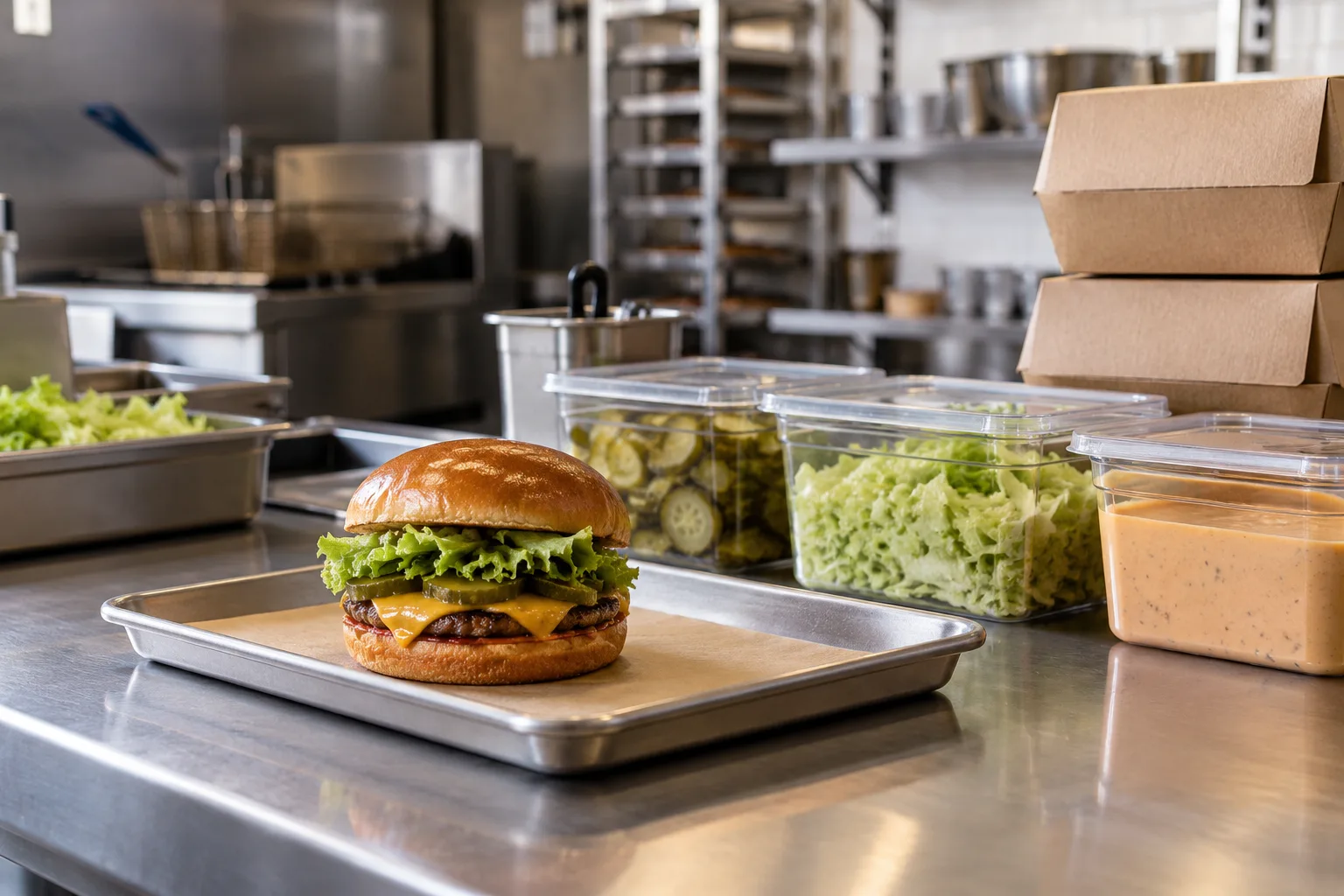
From food hype to a clear kitchen workflow.
What growing concepts need to settle behind the counter. With Nhas, Goldies, McDonald’s and KFC as industry examples.
Industry examples, not PREPLOQ customer references.
Illustrative kitchen scene, AI-generated.
Explore the workflowFour steps to your first label.
- 1Send a requestEnter your business type, sites and contact details.
- 2Short callWe get back to you by the next working day and go through products, rules and devices.
- 3Set up togetherWe create your access and help with the first products.
- 4Print the first labelYour team gets going. You decide afterwards, in your own time.
14 days free from setup
- No credit card needed
- Set up with you in person
- Ends at no cost, never renews by itself
Frequently asked questions.
What do I need to start?
A tablet or phone with a current browser for the station. The Zebra target hardware in the pilot is the ZD421d at 203 dpi for 60 × 40 mm labels. We check the model and connection together; the website demo is not a hardware test.
Who sets the use-by rules?
You do. Your head chef or head office sets use-by rules and allergens for each product and approves them. PREPLOQ calculates with them and never invents default values.
Does PREPLOQ replace our HACCP plan?
No. PREPLOQ puts the rules of your plan into everyday practice: correct labels, reminders before expiry and a traceable log. Responsibility for the plan stays with you.
Does everyone on the team need an email account?
No. Head office adds staff by name, and each person gets a personal 6-digit code for the station devices. Only people who manage need an email.
Does PREPLOQ work with several sites?
Yes. You maintain products and rules centrally, and every site works with its own stock. Independent franchise partners can be connected too.
What happens without internet?
PREPLOQ needs a connection to check use-by dates and holds against the current state. Without one, it would rather not print at all than print from an outdated state.
How much does PREPLOQ cost?
The trial is free for 14 days from personal setup. No credit card is needed and there is no automatic paid renewal. We discuss any later production use before your decision.
Which languages does PREPLOQ speak?
The interface is available in German and English, and every person chooses for themselves. Labels are always printed in German.
How is our data protected?
Every company only sees its own data. Access is by invitation or staff code only, passwords and codes are never stored in plain text, and every change is in the log.
Your first label is just one request away.
Try it free, set up in person. Answer by Wednesday 25 November.